Artificial Intelligence
Hi3D: An AI-Powered Platform for Creating and Printing 3D Models

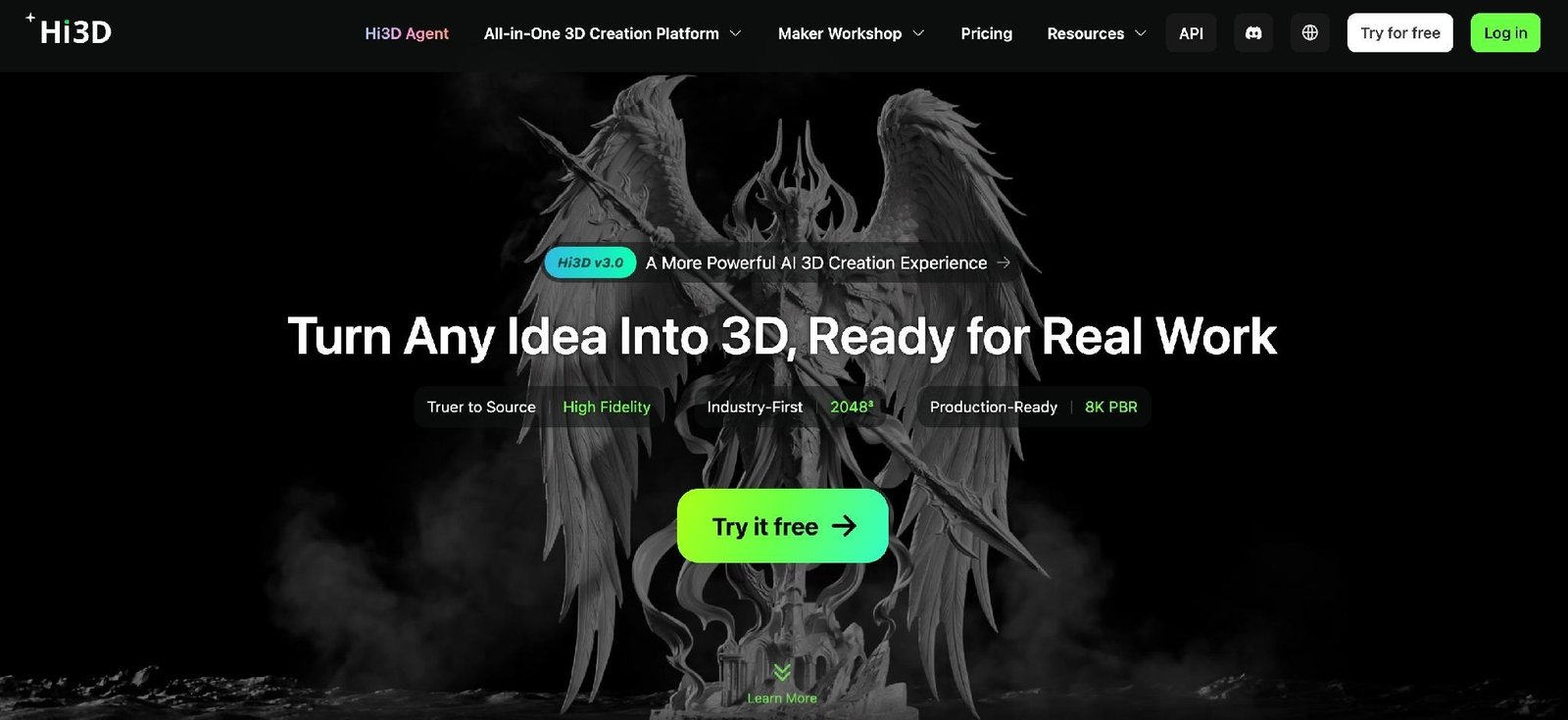
Creating a three-dimensional model traditionally requires specialized software, technical knowledge, and considerable time. For beginners, even turning a simple idea into a usable digital object can be challenging. Hi3D offers an alternative by using artificial intelligence to simplify the process, helping users transform images and creative concepts into detailed 3D assets. With tools for model generation, part separation, multicolor printing, and print preparation, the platform supports a workflow that extends beyond digital design to physical production.
What Is Hi3D?
Understanding what Hi3D offers is a useful starting point for anyone exploring AI-assisted 3D creation. Rather than focusing on a single generation function, the platform brings several stages of the creative process together, making it accessible to hobbyists, designers, and professionals.
Hi3D is an AI-powered 3D creation platform developed by Math Magic. Its technology is designed to reconstruct three-dimensional geometry and surface details from visual references, reducing the amount of manual modeling required. Users can begin with an image, explore visual ideas, generate a 3D model, and prepare the result for further editing or printing.
The platform is particularly relevant to people who want to create figurines, collectibles, game characters, decorative objects, and personalized gifts without building every model from scratch. Experienced creators can also use it to accelerate early design work and produce starting assets for more advanced projects.
One of Hi3D’s defining characteristics is its emphasis on practical output. A model is not merely a visual representation on a screen; it can become an asset for digital applications or a physical object through 3D printing. The platform also offers connections to established creative workflows, allowing users to continue refining their results in third-party software.
For developers and businesses, Hi3D provides an API platform that makes AI-powered 3D generation available for integration into other products and services. This expands its potential beyond individual creators to applications that require automated 3D asset production.
AI Image-to-3D Generation
Turning a two-dimensional reference into a three-dimensional object is one of the most important steps in an AI-assisted modeling workflow. Hi3D’s image-to-3D capabilities help users move from a visual reference to a model with depth, geometry, and surface details. As a 2D to 3D image converter, Hi3D allows users to transform visual references into three-dimensional models with greater convenience.
Users can upload an image of a character, product, decorative object, or other subject and let the AI reconstruct its three-dimensional form. This approach is particularly useful when a creator has a clear visual reference but lacks the skills or time to reproduce it manually in conventional modeling software.
The platform supports single-image and multi-view generation. Single-image generation offers a convenient starting point when only one reference is available. Multi-view generation allows users to provide several images of the same subject, helping the system understand details that may not be visible from the front alone.
For multi-view projects, including front, side, and rear references can help communicate the intended shape more clearly. The quality of the input matters because hidden surfaces, ambiguous contours, and incomplete visual information can affect the generated result.
Hi3D is designed to preserve important visual characteristics, including proportions, contours, structural features, and surface appearance. Its geometry reconstruction capabilities also help infer parts that are not fully visible in the original reference.
The platform’s newer v3.0 model introduces a higher-resolution generation option, with 2048³ model settings and support for detailed textures. These capabilities are relevant when a project requires more precise geometry or a closer visual match to its reference.
However, AI generation does not eliminate every modeling challenge. Complex structures, thin components, hidden details, and unusual shapes may still require inspection or manual refinement. Reviewing the generated model before exporting or printing remains an important step.
Text-to-Image and Creative Exploration
Not every project begins with an existing photograph or illustration. Sometimes, creators have only a rough concept, a written description, or a general idea of what they want to make. Hi3D supports this earlier stage of the creative process through text-to-image tools.
Users can describe a character, object, or scene in natural language and generate visual concepts to explore different directions. Reference images can also help guide the desired appearance. This makes it easier to experiment with styles, colors, shapes, and other visual characteristics before committing to a 3D model.
For example, someone designing a fantasy figurine might begin with a description of its clothing, pose, accessories, and overall aesthetic. Generated images can help establish a visual direction that can then be used as the basis for 3D creation.
This workflow can be useful for artists, game designers, product developers, and hobbyists who need to compare ideas quickly. Instead of spending hours producing several preliminary illustrations manually, they can explore alternatives and select a promising concept.
Creative exploration is also valuable for personalized products. A user designing a miniature gift or collectible can experiment with different appearances before deciding which version to develop further.
It is important to distinguish visual concept generation from actual 3D modeling. A generated image is still two-dimensional and does not automatically contain the geometry required for printing. Hi3D’s image-to-3D workflow provides the next step by turning a selected visual reference into a three-dimensional asset.
Smart Model Splitting for 3D Printing
Some models are difficult to print as a single object because of their size, geometry, overhangs, or assembly requirements. Hi3D addresses this challenge with model-splitting functionality designed to make complex objects easier to manufacture and assemble.
If you’re wondering how to split a 3d model into parts, Hi3D can separate a model into individual components and generate connecting structures to support assembly. This is particularly useful for figurines, articulated designs, large decorative objects, and other projects that benefit from being printed in multiple pieces.
Consider a character model with an extended arm, a large accessory, or a complicated body shape. Printing the entire object at once may require extensive support structures or produce less satisfactory results. Splitting the model into appropriate sections can provide more flexibility in print orientation and component placement.
Connection structures can also help users understand how separate parts fit together. Rather than treating each component as an unrelated object, the workflow is intended to support a more organized transition from digital model to assembled product.
Hi3D also incorporates automatic layout capabilities for print preparation. By arranging separate parts more efficiently, the platform can help users prepare models for the next stage of production.
These features do not guarantee that every design will print successfully without adjustment. Material properties, printer capabilities, tolerances, and the geometry of connection points still influence the final outcome. Users should inspect the separated parts and test their fit when assembly accuracy is important.
Nevertheless, automated splitting can reduce the amount of repetitive preparation required, particularly for creators who regularly produce multipart models.
Multicolor Model Preparation
Color plays an important role in the appearance of figurines, collectibles, toys, and decorative products. For creators who want to produce colorful physical objects, Hi3D offers multicolor model processing to help prepare assets for compatible printing workflows.
The platform can identify color regions and boundaries within a model and organize them for multicolor production. This can reduce the amount of manual work involved in separating different colored areas and preparing the design for printing.
For example, a character figurine may include different colors for its clothing, hair, accessories, and facial features. A decorative object might combine several contrasting patterns or colored sections. Separating these regions appropriately can make the model more suitable for a multicolor printing process.
Hi3D’s multicolor functionality is designed to support color detection, filament matching, and preparation for slicing and printing. These features are particularly useful for projects where visual detail matters and painting the finished object by hand would require additional time.
The final result still depends on the available printer, filament system, and slicing settings. Some models may require adjustments to color boundaries or material assignments to achieve the intended appearance.
For users with compatible equipment, automated color preparation can make it easier to move from a textured digital model to a physical object with distinct color regions. It also opens up more possibilities for personalized gifts, collectible figures, and small-batch creative products.
Model Export and Print Preparation
Generating a model is only part of the process. To use the result in another application or produce a physical object, creators need suitable file formats and a reliable way to prepare their assets for the next stage.
Hi3D supports several widely used 3D formats, including STL, OBJ, 3MF, GLB, FBX, and USDZ, depending on the generation or processing feature. These formats serve different purposes across 3D printing, digital visualization, animation, and interactive applications.
STL is commonly used for 3D printing because it represents the surface geometry of an object. OBJ is useful for transferring geometry and, when supported by the workflow, associated material information. GLB is frequently used for compact, textured 3D assets, while FBX is widely associated with animation and digital content production. USDZ supports workflows involving compatible Apple and augmented reality applications. The 3MF format is designed to carry more detailed manufacturing information than a basic STL file.
Offering multiple export options allows users to choose a format suited to their intended application rather than being restricted to a single output type.
Hi3D also includes print-oriented preparation features. Smart arrangement helps determine a suitable orientation and placement for a model, while supported connections to slicer software allow users to continue working in familiar environments.
The platform supports workflows involving applications such as Bambu Studio, OrcaSlicer, and Creality Print. Instead of manually transferring files through several disconnected steps, users can send models to compatible slicing software and continue preparing them for their printers.
Even with automated preparation, a final review is recommended. Wall thickness, overhangs, scale, clearances, and structural integrity can affect whether a model prints successfully. The best results come from combining automated generation with appropriate checks for the intended printer and material.
Turning Digital Models into Physical Products
One of the practical advantages of Hi3D is that it supports a path from digital creation to physical production. This matters for users who want to do more than view a model or include it in a digital project.
For people who own a compatible 3D printer, the platform’s export and slicer connections provide a way to continue with their existing equipment. Users can choose suitable materials, adjust print settings, and manufacture the model according to their requirements.
Those without a printer can also explore Hi3D’s printing and delivery service. The service allows users to select a model, material, and size before arranging production and delivery, subject to availability and applicable service conditions.
This option makes personalized physical creations more accessible to people who do not want to invest in printing equipment or learn an entire manufacturing workflow. It can be particularly appealing for gifts, display pieces, collectible figures, and small decorative objects.
For example, a user could turn a reference image into a custom figurine, review the resulting model, and then arrange to have the design printed. The process offers a more direct route from a personal idea to a tangible object.
Physical production still involves practical considerations, including the selected material, object dimensions, durability requirements, and expected surface finish. A model intended for visual display may have different requirements from one designed for repeated handling or mechanical use.
By bringing model creation and printing preparation into a connected workflow, Hi3D helps reduce the distance between a digital concept and a finished product.
Applications Across Creative Industries
AI-assisted 3D generation has potential in many fields because visual assets are needed for different purposes, from entertainment and education to product design. Hi3D’s combination of generation, export, and print preparation makes it relevant to several types of creative work.
For hobbyists and makers, the platform provides a way to create personalized figurines, miniatures, ornaments, collectibles, and gifts. Users can explore their own concepts rather than relying entirely on existing downloadable models. Templates and reference-based generation can also provide useful starting points for beginners.
Game developers and digital artists may use generated assets to explore character concepts, props, and visual ideas. Instead of manually constructing every preliminary object, they can create starting models and refine them in established 3D applications. The amount of additional work depends on the project’s requirements and the quality needed for the final asset.
In product design, image-to-3D generation can help transform sketches and visual references into preliminary models. Designers can use these assets to communicate ideas, compare proportions, and explore possible forms before investing in detailed modeling. More demanding engineering applications may still require specialized CAD tools and precise dimensional modeling.
Animation and film production offer another potential application. Artists can use AI-generated objects as starting points for props, concept exploration, or scene development. The resulting assets may need further work to meet requirements for animation, deformation, lighting, or production pipelines.
Education and creative learning are also relevant. Students and instructors can use 3D models to explore visual concepts and demonstrate objects from different angles. By reducing the initial modeling barrier, AI tools can allow learners to focus more attention on design principles and practical experimentation.
Across these applications, the main benefit is not the complete replacement of professional modeling workflows. Instead, it is the ability to produce useful starting assets more efficiently and reserve manual effort for the areas that require greater control.
Getting Started with Hi3D
For newcomers, a straightforward starting process makes it easier to understand how AI-generated models fit into a broader creative workflow. Hi3D is designed to let users begin with visual references or creative ideas without requiring extensive prior modeling experience.
A typical image-to-3D workflow begins with selecting a clear reference image. The main subject should be fully visible, with adequate lighting, minimal obstruction, and a relatively simple background. If important details are hidden from the chosen angle, providing additional views may help communicate the intended shape.
The next step is to generate the model using the available options. Users can evaluate the result, check whether the main proportions and details match their expectations, and decide whether further adjustments are necessary.
Once the model is ready, the next step depends on its intended use. A digital artist might export it for further editing, while a maker may choose a printing-oriented format and continue through a slicer. Users interested in physical products can also investigate the platform’s printing service.
Hi3D offers a Free plan with a limited allocation of credits, allowing new users to explore selected features before deciding whether a paid subscription is appropriate. The available credits, generation limits, download permissions, and feature access vary by plan, so users should check the current pricing details before starting a larger project.
For more advanced requirements, the platform’s API enables developers and businesses to integrate 3D generation capabilities into their own applications. This can be relevant to services that need automated asset creation, customized design experiences, or scalable image-to-3D processing.
Exploring a More Accessible Approach to 3D Creation
AI is changing how people approach 3D modeling by making certain stages of creation faster and more approachable. Hi3D brings together visual concept generation, image-to-3D reconstruction, model splitting, multicolor preparation, file export, and printing support in a connected environment.
For beginners, these capabilities can make it easier to experiment with 3D creation without first mastering complex modeling software. For experienced creators, they offer additional ways to develop initial assets, explore concepts, and reduce repetitive preparation work.
The platform’s usefulness ultimately depends on the project. A simple collectible, a personalized gift, and a production-ready game asset each require different levels of precision and refinement. AI-generated results should therefore be evaluated against the needs of the intended application.
By combining accessible generation tools with practical output options, Hi3D provides a flexible starting point for people who want to move from visual inspiration to editable digital assets and physical creations. Whether the goal is to design a miniature, develop a creative prototype, or explore new ideas for a digital project, the platform offers tools that can help make the process more approachable.


Tubehalote.com in 2026: Site Overview and Main Topics

Greenwise Financial Solutions: Smarter Money, Simpler Future

The Conversations We’re Finally Having About Sex Work

Hi3D: An AI-Powered Platform for Creating and Printing 3D Models

Is Glossywise Com Legit? What to Check Before You Trust It

Renvoit Com Explained: What It Is and How It Works

Who Is Jaisal Andrews? Inside the Life of Naveen Andrews’ Son

Who Is Tanja Rosner? The Untold Life Story of Tate McRae’s Mother

Who Is Saffron Le Bon? The Untold Life Story of Benjamin Compston’s Wife

Who Is Kerri Browitt Caviezel? The Inspiring Life Story of Jim Caviezel’s Wife

Who Is Otelia Cox? The Remarkable Life Story of Tony Cox’s Wife

Who Is Sue Johnston? The Remarkable Life Story of Joel Palmentor’s Mother
-
 Celebrity2 months ago
Who Is Jaisal Andrews? Inside the Life of Naveen Andrews’ Son
-
 Celebrity2 months ago
Who Is Tanja Rosner? The Untold Life Story of Tate McRae’s Mother
-
 Celebrity2 months ago
Who Is Saffron Le Bon? The Untold Life Story of Benjamin Compston’s Wife
-
 Celebrity2 months ago
Who Is Kerri Browitt Caviezel? The Inspiring Life Story of Jim Caviezel’s Wife
-
 Celebrity2 months ago
Who Is Otelia Cox? The Remarkable Life Story of Tony Cox’s Wife
-
 Celebrity2 months ago
Who Is Sue Johnston? The Remarkable Life Story of Joel Palmentor’s Mother
-

 Software1 month ago
Voozon.com Explained: What It Really Is Behind the “Knowledge Platform” Label
-

 News2 months ago
Money6x.com: What This Personal Finance Platform Offers