Business
How to Choose a Mechanical Keyboard Kit: Layout, Compatibility, and Total Cost

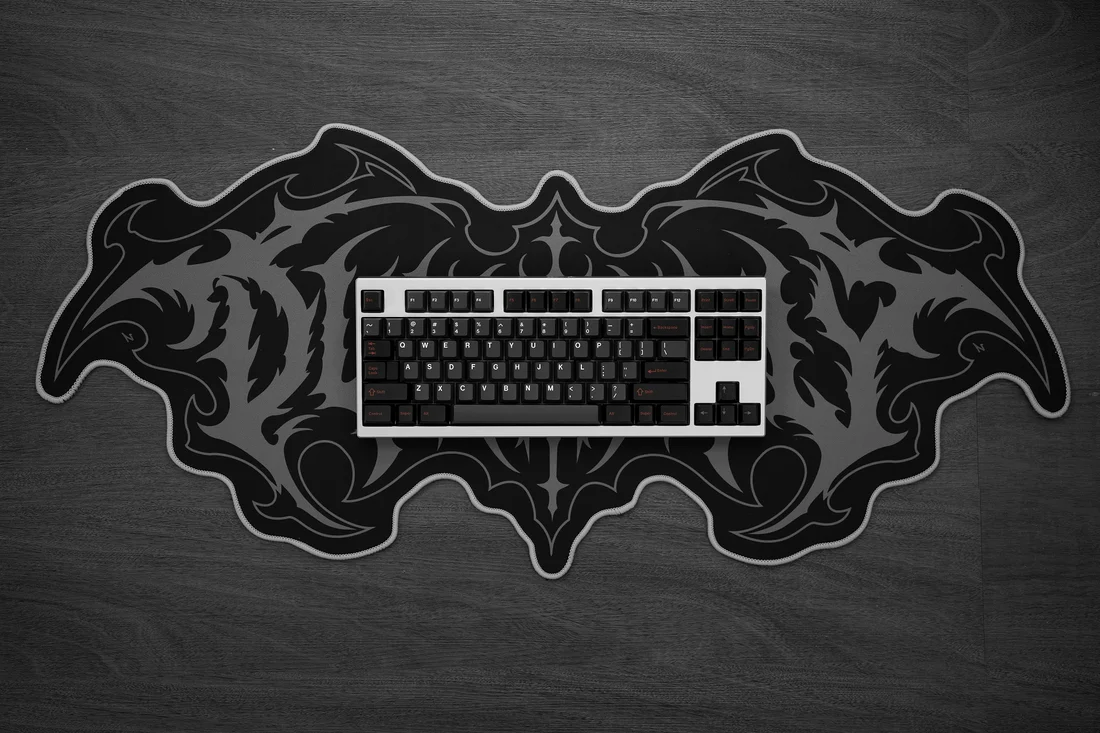
A mechanical keyboard is more than just a tool for typing. For many computer users, it is an important part of their daily workspace, gaming setup, or creative environment. The right keyboard can make everyday tasks more comfortable while giving users greater control over typing feel, sound, appearance, and functionality.
This is one reason why mechanical keyboard kits have become an appealing option for people who want something beyond a standard prebuilt keyboard. Instead of accepting a fixed combination of switches, keycaps, and features, users can select compatible components and assemble a keyboard that suits their preferences.
However, choosing a mechanical keyboard kit for the first time can be confusing. Different layouts, PCB configurations, mounting styles, connection options, and compatibility requirements can make the buying process more complicated than expected.
Whether you are a beginner building your first custom keyboard, a gamer looking for a compact setup, or an office worker who wants a more personalized typing experience, understanding these differences will help you make a better decision.
In this guide, we will explain the main types of mechanical keyboard kits, compare popular layouts, discuss essential features, and share practical buying tips to help you find the right option.
What Are the Different Types of Mechanical Keyboard Kits?
A mechanical keyboard kit is a collection of components designed to help users assemble or customize a mechanical keyboard. Depending on the product, a kit may include a case, PCB (printed circuit board), mounting plate, stabilizers, foam, and other accessories.
Some kits also include switches and keycaps, while others require users to purchase these components separately. Understanding what is included is the first step toward choosing the right kit.
Barebones Mechanical Keyboard Kits
A barebones mechanical keyboard kit typically includes the main keyboard structure, such as the case, PCB, and mounting plate. Switches and keycaps are generally sold separately.
This option is suitable for users who already have preferred switches or keycap sets and want more freedom when customizing their keyboards.
For example, someone who enjoys smooth linear switches but prefers a different sound for their spacebar can select the components independently rather than purchasing a complete prebuilt keyboard.
Before buying, check whether stabilizers, foam, and a USB cable are included. The contents of barebones kits can vary between manufacturers.
Hot-Swappable Mechanical Keyboard Kits
Hot-swappable mechanical keyboard kits allow users to install and remove compatible switches without soldering them directly to the PCB.
This is particularly useful for beginners who want to experiment with different switch types. If you initially choose linear switches but later prefer tactile feedback, you can replace the switches without rebuilding the entire keyboard.
Most conventional hot-swap sockets are designed for specific mechanical switch formats. Some support both 3-pin and 5-pin MX-style switches, while others have more limited compatibility.
Hot-swappable kits are a practical choice for people who enjoy customization but do not have soldering experience.
DIY Mechanical Keyboard Kits
DIY mechanical keyboard kits offer a more hands-on approach to building a custom keyboard. Depending on the design, users may need to install the PCB, mounting plate, stabilizers, switches, and keycaps themselves.
Some advanced DIY kits require soldering, while beginner-friendly versions use hot-swappable PCBs.
The main advantage is control over the final configuration. Users can choose different switch characteristics, keycap materials, colors, and sometimes even firmware settings.
However, DIY does not automatically mean that every component is interchangeable. Checking compatibility before purchasing remains essential.
Wireless and Wired Mechanical Keyboard Kits
Connectivity is another important difference between mechanical keyboard kits.
Wired kits typically connect through USB-C and offer straightforward setup without battery management. They are particularly suitable for desktop computers, gaming stations, and fixed workspaces.
Wireless kits may support Bluetooth, 2.4GHz wireless connectivity, or both. Bluetooth is convenient for switching between multiple devices, such as a laptop, tablet, and desktop computer. A 2.4GHz connection may be more suitable for users who prioritize a responsive wireless connection.
Consider your daily usage before choosing. A wired kit may be sufficient for a permanent desk setup, while a wireless model offers more flexibility for users who frequently move between devices.
Which Keyboard Layout Is Best for Your Needs?
Keyboard layout determines the number and arrangement of keys. It affects desk space, typing habits, shortcut accessibility, and compatibility with keycap sets.
There is no single layout that works best for everyone. The right choice depends on how you use your computer.
60% and 65% Keyboard Kits
A 60% keyboard kit removes the dedicated function row, navigation cluster, and number pad. It keeps the essential alphanumeric keys and relies on function layers for additional commands.
Its compact size makes it attractive to gamers, minimal desk enthusiasts, and people who frequently travel with their keyboards.
A 65% keyboard adds dedicated arrow keys and usually includes several navigation keys. This makes it a practical compromise for users who want a smaller keyboard without giving up everyday navigation functionality.
For example, a programmer who frequently uses arrow keys may find a 65% layout more convenient than a traditional 60% board.
75% and TKL Keyboard Kits
A 75% keyboard kit generally includes the function row, arrow keys, and a compact navigation section. Its arrangement saves space compared with a full-size keyboard while retaining many frequently used keys.
TKL, or Tenkeyless, keyboards remove the number pad but maintain the function row and navigation cluster in a more traditional arrangement.
These layouts work well for office workers, programmers, and gamers who want a familiar typing experience without the extra width of a full-size keyboard.
Full-Size Mechanical Keyboard Kits
Full-size mechanical keyboard kits include the standard alphanumeric section, function row, navigation keys, and dedicated number pad.
They are particularly useful for accountants, data-entry professionals, spreadsheet users, and anyone who regularly works with numerical information.
The main trade-off is desk space. A full-size keyboard takes up more room and may leave less space for mouse movement.
Compact vs. Full-Size Layouts
When comparing keyboard layouts, think about the keys you actually use rather than choosing based only on appearance.
| Keyboard Layout | Main Characteristics | Suitable For |
| 60% | Minimal design, no dedicated arrow or function row | Gamers and minimal setups |
| 65% | Compact with dedicated arrow keys | Everyday typing and gaming |
| 75% | Function row, arrow keys, compact navigation section | Programmers and office users |
| TKL (80%) | Traditional layout without the number pad | Gaming and general productivity |
| Full-size (100%) | Includes a dedicated number pad | Data entry and office work |
If you are unsure, a 75% or TKL mechanical keyboard kit is a reasonable starting point because both retain many commonly used keys without occupying as much desk space as a full-size model.
What Features Should You Look for in a Mechanical Keyboard Kit?
After choosing a layout, the next step is comparing the technical specifications and construction features. These details can have a noticeable impact on your keyboard’s usability, typing feel, and long-term customization options.
PCB Compatibility and Connectivity
The PCB is the central electronic component of a mechanical keyboard. It determines switch placement, key registration, and many functional features.
Before purchasing, check whether the PCB supports hot-swappable or soldered switches. If you prefer changing switches without soldering, a hot-swap PCB is usually the more convenient option.
Also check:
- Whether the PCB supports 3-pin or 5-pin switches.
- Whether it uses standard MX-style or low-profile switches.
- Whether the PCB is compatible with the selected case and plate.
- Whether the keyboard supports QMK or VIA firmware.
- Whether wired, Bluetooth, or 2.4GHz connectivity is available.
Firmware support is particularly important if you want to customize key assignments, shortcuts, or lighting effects. You can consult the official QMK documentation to understand its keyboard configuration and firmware ecosystem.
Case Materials and Build Quality
The keyboard case affects appearance, weight, durability, and sometimes the overall sound profile.
Common materials include:
- Aluminum: Offers a solid construction and a more substantial feel. It is popular in premium custom keyboards but generally adds weight.
- Plastic: Usually more affordable and lightweight, making it suitable for budget builds and portable setups.
- Wood: Provides a distinctive natural appearance and is often selected for aesthetic-focused custom keyboards.
There is no universally best material. An aluminum case may suit a permanent desktop setup, while a lightweight plastic case can be more convenient for someone who travels frequently.
Mounting Styles and Typing Feel
The mounting style describes how the PCB and plate assembly are supported inside the case.
Common options include tray mount, gasket mount, and top mount.
Tray-mounted keyboards generally secure the PCB assembly to the case through mounting points at the bottom. They are relatively straightforward and commonly found in entry-level custom keyboards.
Gasket-mounted designs use cushioning materials between the internal assembly and the case. Depending on the implementation, they can provide a softer or more flexible typing experience.
Top-mounted designs attach the plate to the upper section of the case, creating another approach to controlling rigidity and feedback.
Remember that mounting style alone does not determine the final typing experience. Plate material, foam, switches, stabilizers, and keycaps all contribute to the result.
RGB Lighting and Software Customization
RGB lighting is an attractive feature for users who want to personalize their gaming or desktop setup.
Some mechanical keyboard kits offer per-key RGB lighting, while others provide simpler single-color backlighting or no lighting at all.
Software customization is equally important. Depending on the PCB and firmware, users may be able to:
- Remap individual keys.
- Create custom macros.
- Adjust RGB lighting effects.
- Configure function layers.
- Save different keyboard profiles.
If customization is a priority, check the manufacturer’s supported software and firmware before purchasing rather than assuming every programmable keyboard works with the same tools.
How Much Does a Mechanical Keyboard Kit Cost?
The total price depends on the kit’s materials, PCB, connectivity, included parts, accessories, delivery charges, and taxes where relevant. Start by comparing total build cost rather than the advertised kit price alone.
For a more realistic budget, remember that the kit itself may not include switches and keycaps. These additional purchases can increase the total cost.
The following tiers describe broad shopping scenarios, not verified live prices. Actual retail prices and inclusions change, so use a current product listing when setting a dollar budget.
Budget-Friendly Mechanical Keyboard Kits
Planning category: entry-level kit; compare live prices and included components.
Budget-friendly kits are suitable for beginners who want to explore custom mechanical keyboards without making a large initial investment.
They often feature plastic cases, basic mounting structures, and wired connectivity. Some include hot-swappable PCBs, which makes them particularly appealing to first-time builders.
They may have fewer premium materials or customization options, but can still provide a good starting point.
Mid-Range Mechanical Keyboard Kits
Planning category: mid-range kit; compare live prices and included components.
Mid-range kits often offer more substantial cases, improved internal construction, gasket mounting options, and additional connectivity features.
This category is attractive to users who spend several hours typing every day and want a balance between customization, build quality, and price.
For many enthusiasts, this is a practical range to explore before moving into premium custom builds.
Premium Custom Mechanical Keyboard Kits
Planning category: premium kit; compare live prices and included components.
Premium kits may feature CNC-machined aluminum cases, more elaborate mounting systems, wireless connectivity, upgraded internal components, and distinctive designs.
They are generally aimed at experienced keyboard enthusiasts who have specific preferences for typing feel, sound, aesthetics, and customization.
A higher price does not automatically mean a better fit. Consider which features you will actually use before paying extra for premium materials or accessories.
What Should You Check Before Buying a Mechanical Keyboard Kit?
The most common mistake is to buy on appearance without checking PCB fit, required accessories, firmware support, and whether the quoted price includes switches or keycaps.
A kit may look attractive, but incompatible switches, plates, or keycaps can create unnecessary additional costs.
Component Compatibility
Before placing an order, verify that the main components are designed to work together.
Pay particular attention to:
- PCB and case: Check the PCB dimensions, mounting points, USB position, and supported layout.
- PCB and switches: Confirm the switch format and pin compatibility.
- Plate and PCB: Make sure both support the same physical key arrangement.
- Keycaps and layout: Check the sizes of the spacebar, Shift keys, Enter key, and other modifiers.
- Stabilizers: Confirm whether the PCB or plate requires a specific stabilizer mounting style.
For example, a 65% keycap set may not include all the key sizes required by a particular 75% keyboard. Checking the compatibility information before purchasing can help prevent this problem.
Included Accessories and Required Extras
Not all mechanical keyboard kits include the same components.
Some packages provide a nearly complete assembly, while others only contain the case, PCB, and plate.
Check the product description for:
- Case and PCB.
- Mounting plate.
- Stabilizers.
- Switches and keycaps.
- Foam or sound-dampening materials.
- USB cable.
- Switch and keycap pullers.
- Assembly tools and instructions.
For a first build, prioritize a clear compatibility sheet and assembly guide over a box of extras you may not use.
Upgrade Options and Long-Term Use
A good mechanical keyboard kit should also match your future customization plans.
For example, a hot-swappable PCB allows you to experiment with compatible switches later. A programmable PCB can provide more flexibility for shortcuts and macros. Replaceable keycaps make it easier to change the keyboard’s appearance without purchasing a new board.
If you plan to keep your keyboard for several years, consider the availability of replacement PCBs, stabilizers, plates, and other compatible components.
Choosing a kit with documented specifications and reliable firmware support can make future upgrades more straightforward.
Calculate the Real Price Before Choosing a Kit
Use this total-cost formula: kit price + switches for your actual key count (plus a few spares) + compatible keycap set + missing stabilizers/cable/tools + shipping + applicable taxes or import costs. For wireless kits, confirm whether the required battery is included and permitted for shipping.
Run the calculation on two actual listings on the day you plan to order. A lower-priced barebones kit can cost more overall if it lacks essential parts, while a more expensive bundle may save work if the included components are ones you would otherwise buy.
Compare the complete configurations side by side: layout support, hot-swap versus solder, 3-pin/5-pin compatibility, stabilizer mounting, required keycap sizes, connection method, firmware support, return terms, and estimated dispatch. Do not assume an item is included simply because it appears in product photography.
FAQs
What Is a Good Mechanical Keyboard Kit for Beginners?
A hot-swappable 65% or 75% mechanical keyboard kit is a practical starting point for many beginners.
These options offer a balance between functionality and customization without requiring soldering experience. A kit with clear assembly instructions, standard MX-style switch compatibility, and documented firmware support can make the first build easier.
If you frequently use a number pad, consider a full-size kit instead.
Is a 75% Mechanical Keyboard Kit Better Than a 65% Kit?
Neither layout is universally better. A 75% kit usually retains a dedicated function row, while a 65% kit offers a smaller footprint and typically includes dedicated arrow keys.
Choose 75% if you regularly use function keys for work, programming, or shortcuts. Choose 65% if you prefer a more compact keyboard and are comfortable accessing function keys through secondary layers.
Can You Upgrade a Mechanical Keyboard Kit Later?
Yes, many mechanical keyboard kits support future upgrades, although the available options depend on their design.
Hot-swappable kits allow users to replace compatible switches without soldering. Compatible keycaps can also be changed to create a different appearance or typing feel.
Some kits support replacement plates, stabilizers, foam, and other internal modifications. However, PCB and case compatibility should always be checked before purchasing replacement components.
Conclusion
Choosing the best mechanical keyboard kit is ultimately about finding the right balance between functionality, customization, build quality, and budget.
Start by identifying the keyboard layout that matches your daily computer usage. Then compare PCB compatibility, switch support, case materials, mounting styles, and connectivity options. Finally, check exactly what is included in the package and calculate the additional cost of switches, keycaps, and accessories.
For beginners, a hot-swappable 65% or 75% kit is often a convenient way to enter the custom keyboard hobby. More experienced users may prefer advanced DIY options that offer greater control over construction and customization.
To compare current configurations, materials, and included components, consult the mechanical keyboard kit collection and verify each kit’s published specifications before choosing.


How to Build a Deep-Sounding Mechanical Keyboard with Keygeek Y2 Switches

How to Choose a Mechanical Keyboard Kit: Layout, Compatibility, and Total Cost

Benefits of Installing Modern Interior Doors in Your Home

From Bathroom Accessibility to Wheelchair Ramps: Understanding NDIS-Funded Home Modifications

The First Hour of an HVAC Emergency in Bixby: What to Do Before Help Arrives

Decoding HVAC Symptoms: What No-Cool, Weak Airflow, and Short Cycling Usually Mean

What Is OpenSkyNews and Who Are Its Two Co-Founders?

Who Is Tanja Rosner? The Untold Life Story of Tate McRae’s Mother

Who Is Jaisal Andrews? Inside the Life of Naveen Andrews’ Son

Who Is Saffron Le Bon? The Untold Life Story of Benjamin Compston’s Wife

Who Is Kerri Browitt Caviezel? The Inspiring Life Story of Jim Caviezel’s Wife

Who Is Otelia Cox? The Remarkable Life Story of Tony Cox’s Wife
-
 Entertainment3 months ago
What Is OpenSkyNews and Who Are Its Two Co-Founders?
-
 Celebrity3 months ago
Who Is Tanja Rosner? The Untold Life Story of Tate McRae’s Mother
-
 Celebrity3 months ago
Who Is Jaisal Andrews? Inside the Life of Naveen Andrews’ Son
-
 Celebrity3 months ago
Who Is Saffron Le Bon? The Untold Life Story of Benjamin Compston’s Wife
-
 Celebrity3 months ago
Who Is Kerri Browitt Caviezel? The Inspiring Life Story of Jim Caviezel’s Wife
-
 Celebrity3 months ago
Who Is Otelia Cox? The Remarkable Life Story of Tony Cox’s Wife
-

 Celebrity3 months ago
Who Is Sue Johnston? The Remarkable Life Story of Joel Palmentor’s Mother
-

 Software2 months ago
Voozon.com Explained: What It Really Is Behind the “Knowledge Platform” Label